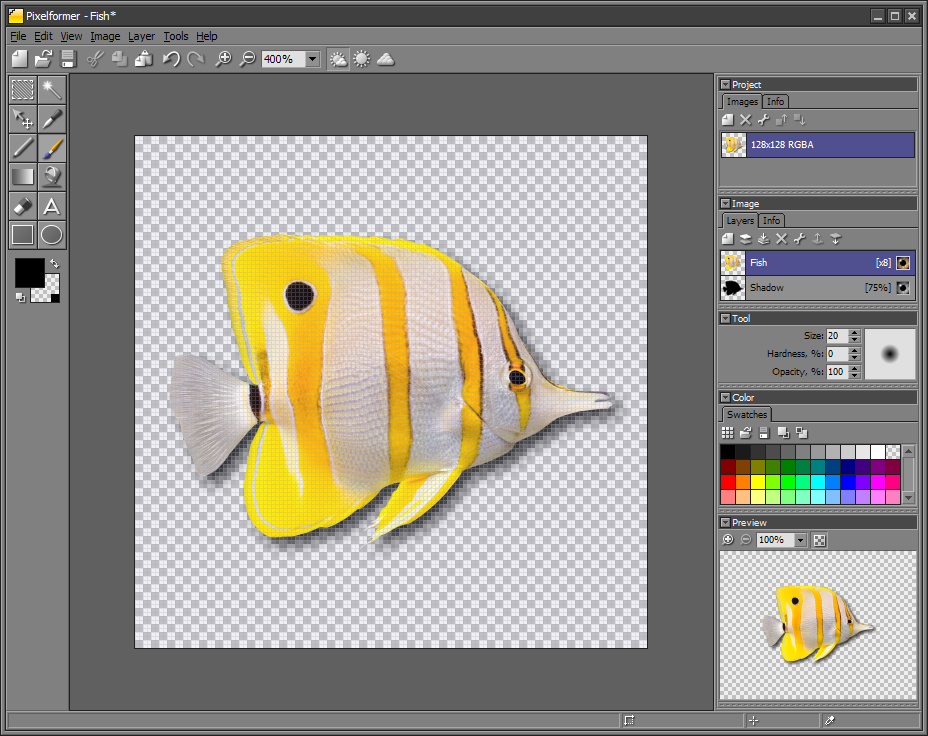


Pixelformer is a bitmap editor, specifically optimized for creating, modifying, and converting small and medium-sized images, such as icons, buttons, web graphics, sprites, etc. Pixelformer is faster, smaller, easier, more precise, and often more efficient than large bitmap editing tools; at the same time it is more powerful and less limited than classic simple icon editors. So you need to create, edit, crop, resize, or convert icons or other small images? Pixelformer can help. Even if you prefer a sophisticated high-end image editor for creating graphics, Pixelformer would be a useful tool for doing fast edits, final tweaks, conversions, and optimizations.
The main features of Pixelformer are: • no restrictive limits
for image dimensions No restrictive limits for image dimensionsPixelformer does not limit you to icon-specific image sizes. Practically, this means that you generally would not need any additional software while making, say, an icon from a multi-megapixel photo. Or you can actually edit large images when a more appropriate tool is not available. Support for different color depths up to 32-bit RGB with alpha channelWhen using Pixelformer, you can always work in the 32-bit RGBA color space. If you need another format, just specify the output color depth (from 1 bpp (monochrome) to 32 bpp (RGB with alpha channel)), and Pixelformer will generate the required bitmap. Even some uncommon formats are supported, like 16-bit BMP, or 24-bit PNG with transparency, or grayscale PNG with alpha. Semi-transparent colorsIn addition to semi-transparent layers and soft-drawing tools, Pixelformer allows you to use semi-transparent (translucent) colors, offering more control over transparency effects.
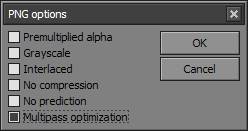
Multiple layer supportAny image in a Pixelformer project can be composed of an unlimited number of layers. The layering greatly simplifies working with complex images. Free-form maskingUsing the selection tools available in Pixelformer, you can create a region of any arbitrary form and use it for constraining the drawing operations or for manipulating specific pixels. In-place supersamplingWith Pixelformer, you can draw at a much higher resolution than that of the output image - the drawing will be instantly resampled and mapped to the output. This method combines the benefits of raster and vector graphics and gives you antialiased but still editable image, which can never be produced by classic 1:1 bitmap editors. Supersampling also helps to make icons from images by simplifying separation of objects from background and retaining a possibility to refine the result and align it to pixel grid. Lossless target color depth switchingUnlike a conventional bitmap editor, Pixelformer virtualizes the image color space (the working space is always 32-bit RGBA). As a result, changing the color depth of output bitmaps is very easy and non-destructive. Independent access to color and alpha channelsUsing Pixelformer, you can independently view and edit color and alpha channels of your images; this feature may be useful for fixing edge artifacts in imported icons, or for creating unusual blending effects. Support for multiresolution iconsAbility to handle multiple sizes, resolutions, and color depths of the same image is essential for a true icon editor or converter. Pixelformer allows you to work with multiple image formats within a single workspace and then pack them into a single ICO file. Dynamic palette generationPixelformer frees you from having to worry about color palettes for non-truecolor images - highly optimized ones can be automatically generated in real time. Multiple file format supportAt the moment, Pixelformer is able to import BMP, PNG, ICO, CUR, JPEG/JPG, TGA, and PSD image files, as well as EXE, DLL, or ICL multiple image containers; BMP, PNG, ICO, and TGA file formats are available for export. You can freely convert images between these formats. Icon extraction capabilityPixelformer can extract icons, cursors, and bitmaps from executable files and ICL icon libraries. PNG size optimizationPixelformer includes a PNG optimizer, which finds optimal PNG compressor parameters during export, and thus losslessly minimizes size of PNG image files.
Vista icon optimizationLarge subimages in Windows 7 and Windows Vista icons can be PNG-compressed; the PNG optimizing engine is able to process them, reducing the corresponding ICO file sizes.
Alpha premultiplicationWhen necessary, images containing an alpha channel can be exported from Pixelformer with premultiplied alpha.
Deep undo bufferPixelformer efficiently compresses undo data, keeping a long history of operations while maintaining a low memory footprint. |
| Pixelformer :: details |